
Turning with Awareness
Module 3: Session 2

Duration: 15% (9 mins / 14 mins)
.png)
- Set up a 5x5 yard area
- Use the 'Weighted Golden Balls'
- Prescribe the ball mastery moves assigned to this session, or any from our ball mastery moves library
- Remember to work both sides for technical balance
BM19 - Take Step Over
BM6 - Shuffle Take
BM2 - Shuffles
BM21 - Rollie Ollie
BM33 - Shuffle, Stepover, Roll Out, Quarter Turn
BM27 - Shuffle Stop Take Stop Skip
BM32 - Shuffle, Shuffle Behind 180 Both Feet
BM45 - Pull Push Inside
BM61 - Pull Drag Behind
BM58 - Scissor Pull Stop Behind
BM63 - Drag Scissors
BM53 - Reverse Shuffles
BM66 - Shuffle Drag U-Turn Behind
BM70 - Stop Skip Dribble Cut
BM69 - Roll Stepover Reverse Pin
BM65 - Drag U-Turn Behind
Duration: 15% (9 mins / 14 mins)
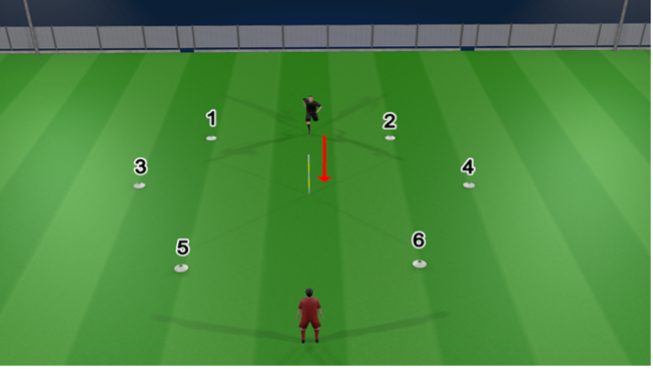
- Player accelerates to the middle pole.
- Coach calls a number
- Player must change direction and accelerate to the number and back to the middle pole.
- Coach keeps calling different numbers.
- Work in 30 second bursts to maintain a high intensity.
Duration: 15% (9 mins / 14 mins)
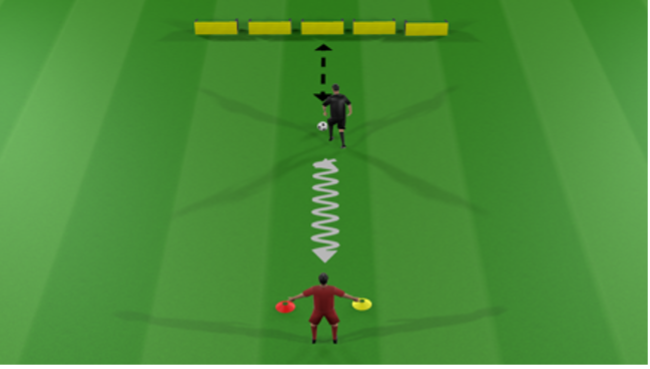
- Player starts by passing into the wall.
- Before receiving off the wall the player scans and calls the colour the coach is holding.
- The player opens out to receive and dribbles towards the coach and performs a Change of Direction move.
- Repeat for 45 seconds.
Duration: 15% (9 mins / 14 mins)
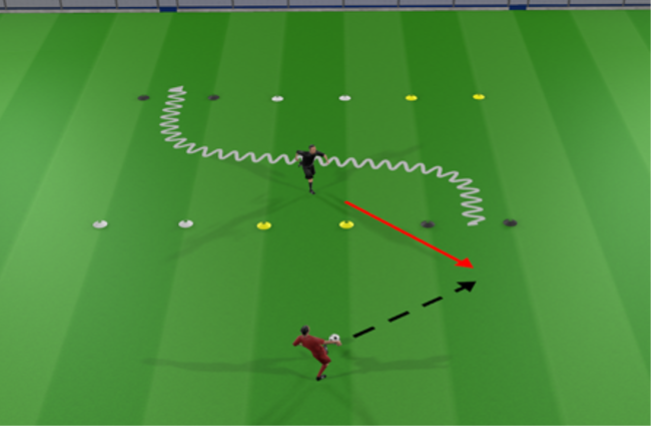
- Player starts by running through the middle gate.
- Coach calls a colour out.
- Player must move to receive through the colour gate the coach calls, then dribble through the gate on the back-line.
- Player performs a Change of Direction move and passes back to the coach.
- Start with 1 colour (player receives and dribbles through same colour gate) – progress to 2 colours (player receives through one gate, and dribbles through a different colour gate.
Duration: 20% (12 mins / 18 mins)
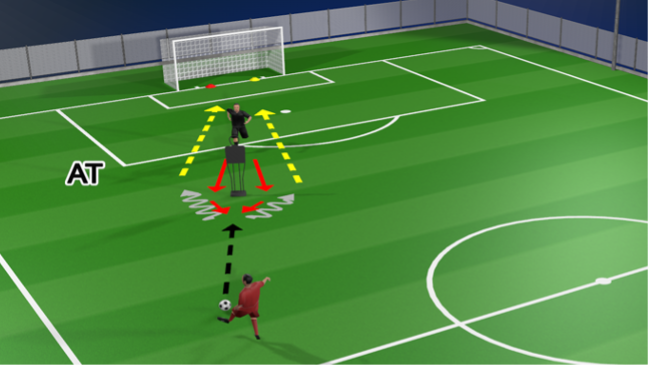
- Player scans to see which colour is shown on the awareness tool.
- The player then decides which side of the mannequin to arrive from, as the shot should be aimed in the corner of the same colour that was shown on the awareness tool.
- Player should perform a turn then shoot.


